Tripo AI Review 2026: It Painted the Groom's Whole Forearm Black
My verdict in 60 seconds — Tripo 60/100, SupaVoxel 90/100
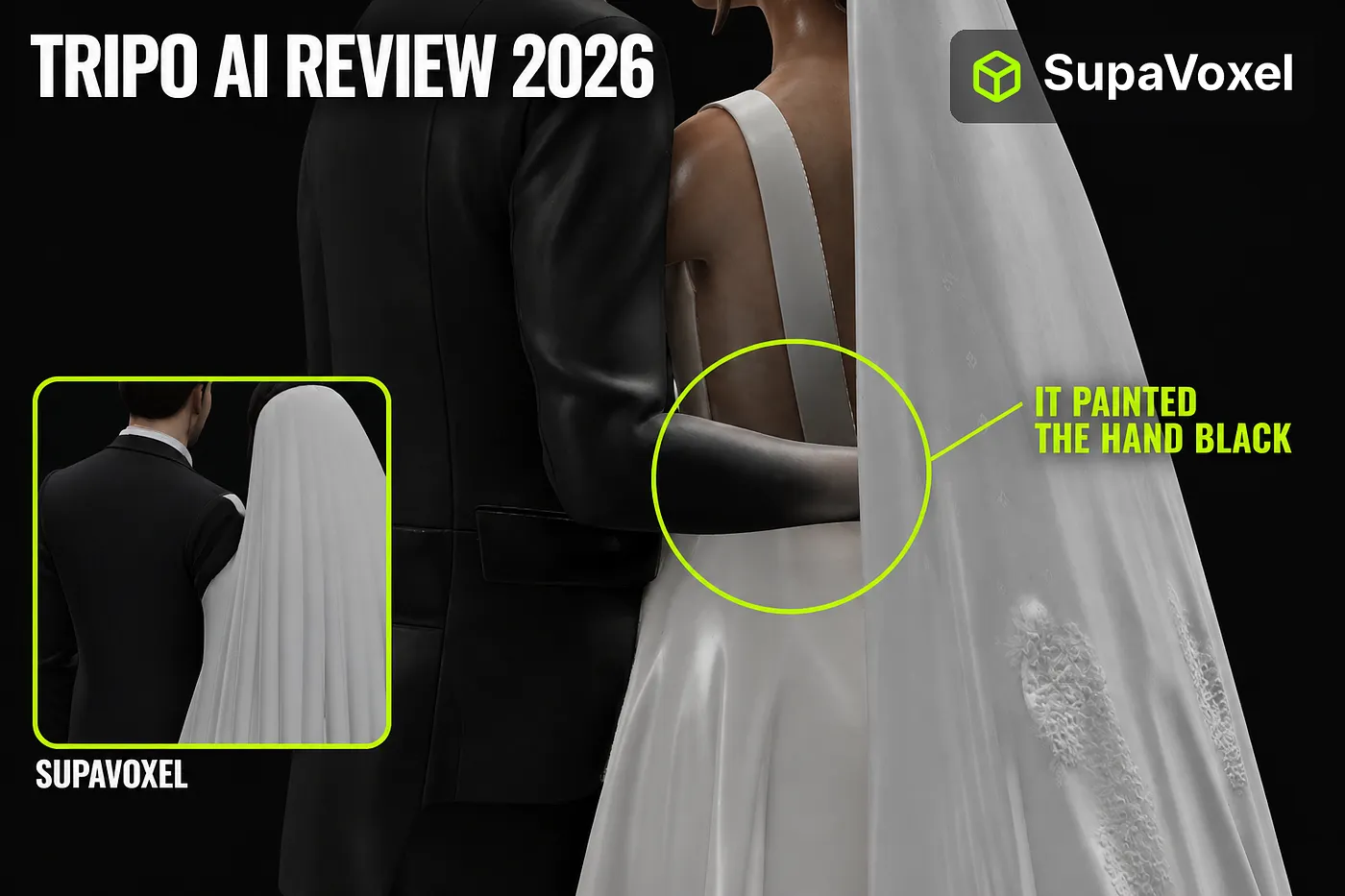
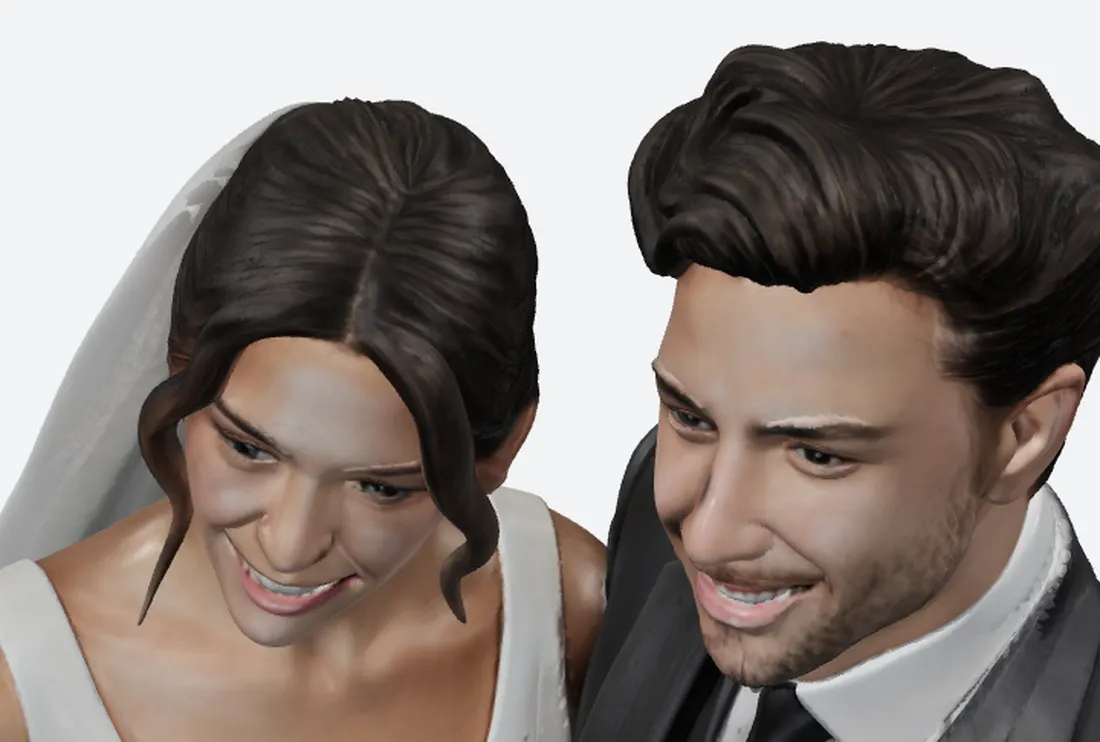
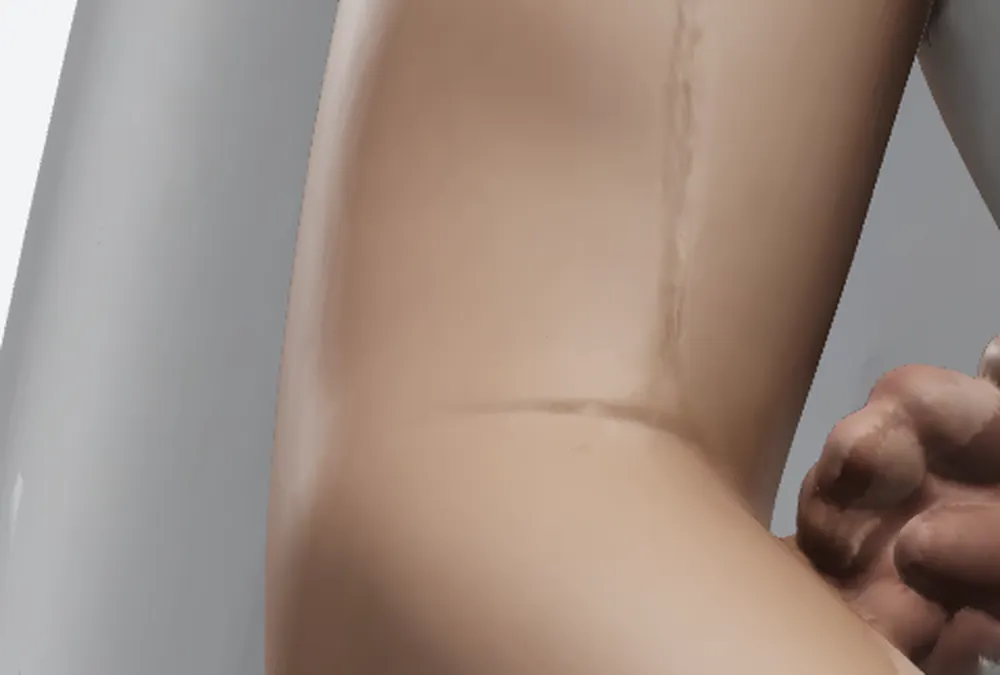
The groom’s arm rests behind the bride’s back in the photo. Tripo ran the black of his jacket sleeve all the way down the forearm and across all five fingers — printed, that is a man wearing one black glove. It also turned the bride’s composed smile into a bared-teeth grimace with hollowed cheekbones, and baked two grey-green patches onto her upper arm that are still there with every light turned off. SupaVoxel got the same photo, cost 3 credits against 55, and produced a face you can put on a cake.
Here is the scorecard for likeness and for what you download to get it.
- Face — Tripo 2/10 (grimace, sunken cheekbones, grey cast) · SupaVoxel 9/10 (composed smile, normal complexion)
- Skin colour, albedo ΔE76 vs the photo — Tripo 7/10 (6.10) · SupaVoxel 8/10 (5.92)
- Hair colour ΔE76 — Tripo 8/10 (4.42) · SupaVoxel 8/10 (4.25) — and Tripo’s hair has real strands, which SupaVoxel does not
- Suit colour ΔE76 — Tripo 8/10 (5.87) · SupaVoxel 5/10 (8.80) — Tripo wins this row
- Dress white ΔE76 — Tripo 6/10 (8.36) · SupaVoxel 7/10 (7.64)
- Colour artefacts baked into the texture — Tripo 1/10 (black forearm, two arm patches) · SupaVoxel 9/10 (one faint seam)
- Texture payload for the same 3 × 4096 maps — Tripo 3/10 (7.11 MB, 138.0 KB/Mpx) · SupaVoxel 10/10 (1.51 MB WebP, 29.2 KB/Mpx)
- Delivery weight — Tripo 4/10 (17.30 MB, 11.5 s on 4G) · SupaVoxel 9/10 (9.85 MB, 6.6 s)
The specific problems, part by part: the face is wrong in a way no amount of density fixes; the forearm and fingers are the wrong colour; the arm has two patches that survive an unlit render, which proves they are texture rather than shadow; the maps weigh 4.7× as much for the same resolution, and 4.39 MB of that is bytes a printer cannot use. For a keepsake of two specific people, use SupaVoxel.
How the colour was measured, so “that’s your lighting” cannot be the answer
Every colour figure below was taken from an albedo render — no lights at all, just the colour baked into the texture, displayed directly. Sampling is by rule, not by hand-drawn box: keep pixels where R>G>B and neither too dark nor too bright, take the median RGB, convert to CIE Lab, compute ΔE76 against the same sample from the photo. The photo’s medians are skin #d2b29c, hair #4d3c30, suit #403f42. Perceptual threshold is about 2.3; ΔE 10 is “same brick, different weather”.
One exception is documented rather than hidden: the ivory dress cannot be sampled by colour rule, because the render background (#f1f2f4) is brighter than the fabric and any luminance threshold pulls the background in. For the dress I used a fixed sampling box — the same position, same size (about 3.6% of frame) on all three images, mid-skirt. Photo #e7e5e4 (L* 91.07), SupaVoxel #d0d0cf (L* 83.46), Tripo #cececd (L* 82.74). Both went a little grey; SupaVoxel is closer by 0.72, which is not a decisive margin and is not presented as one.
Disagreement 1: the smile
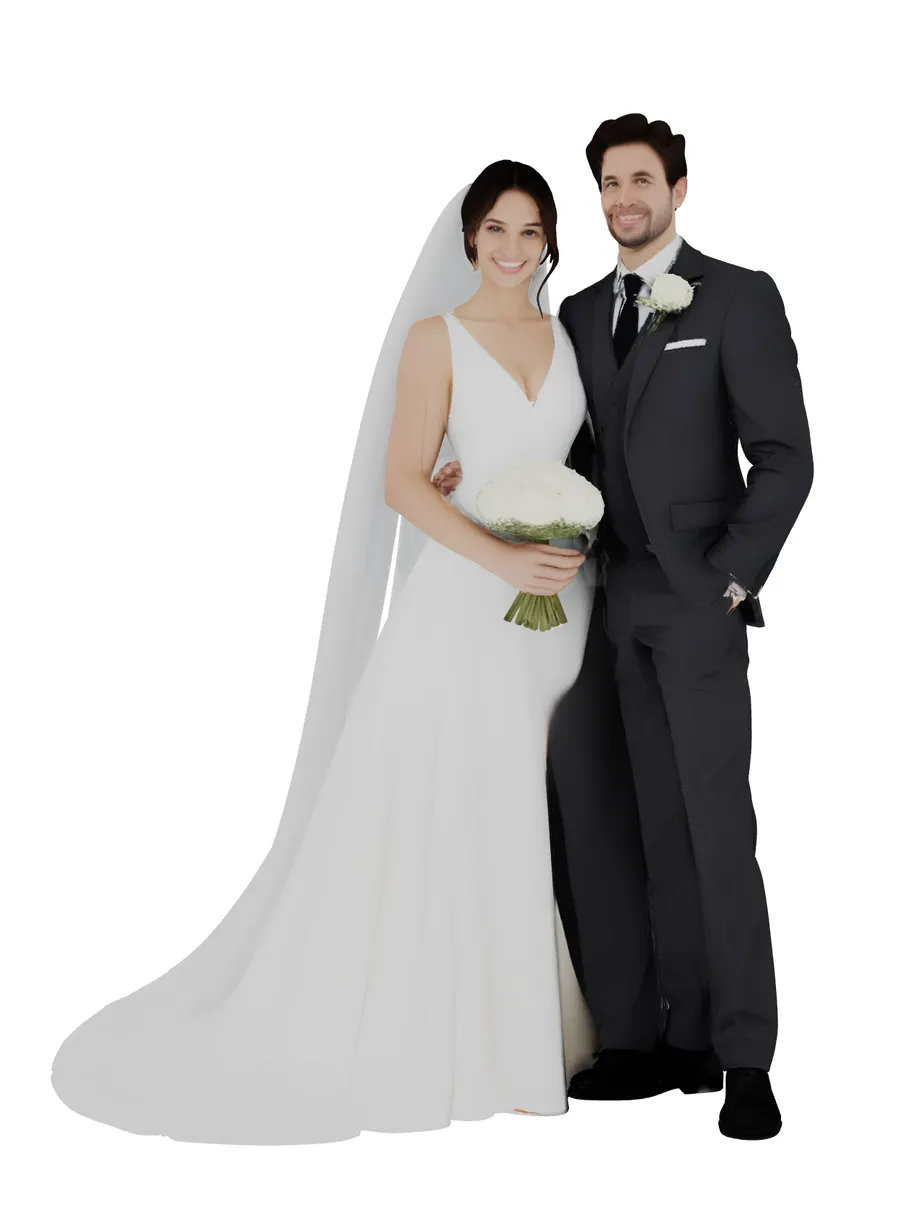
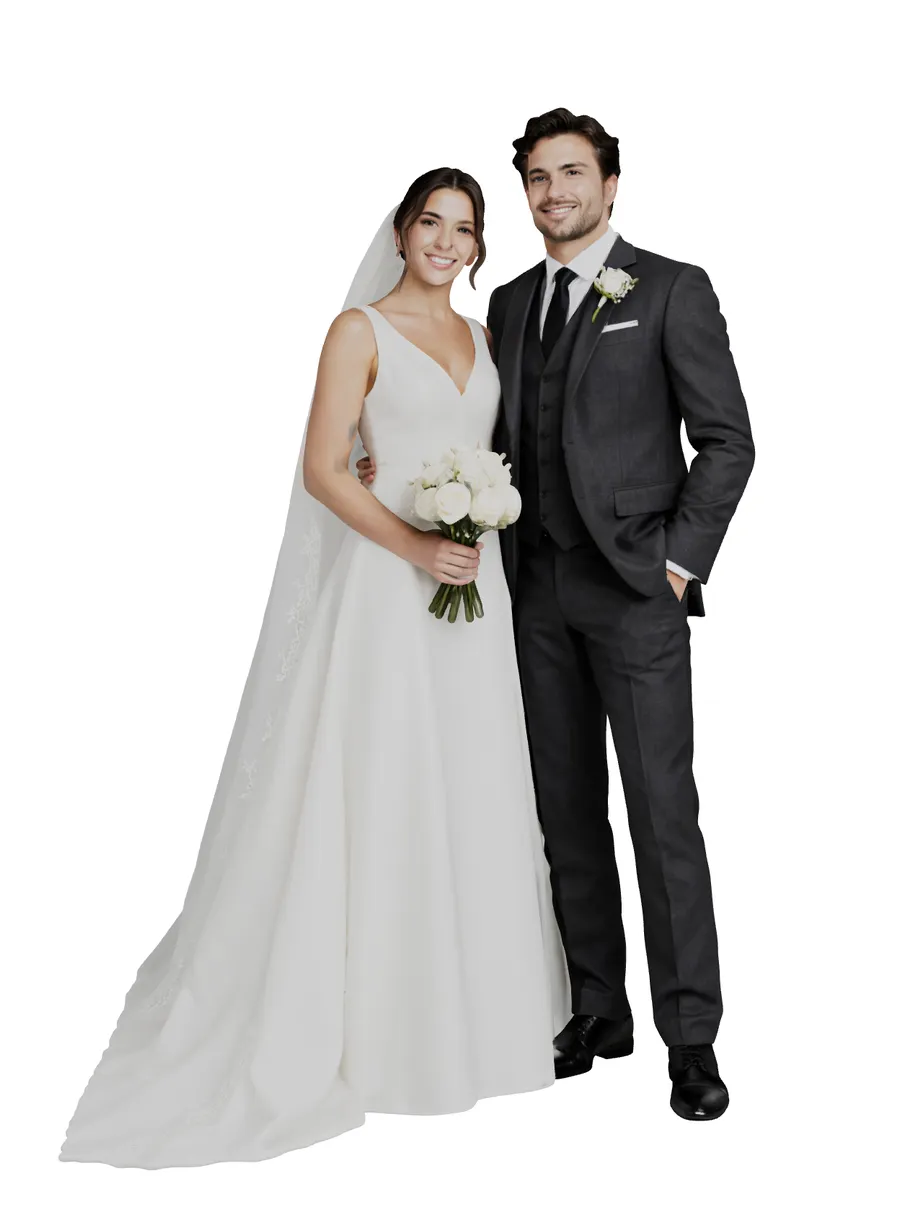
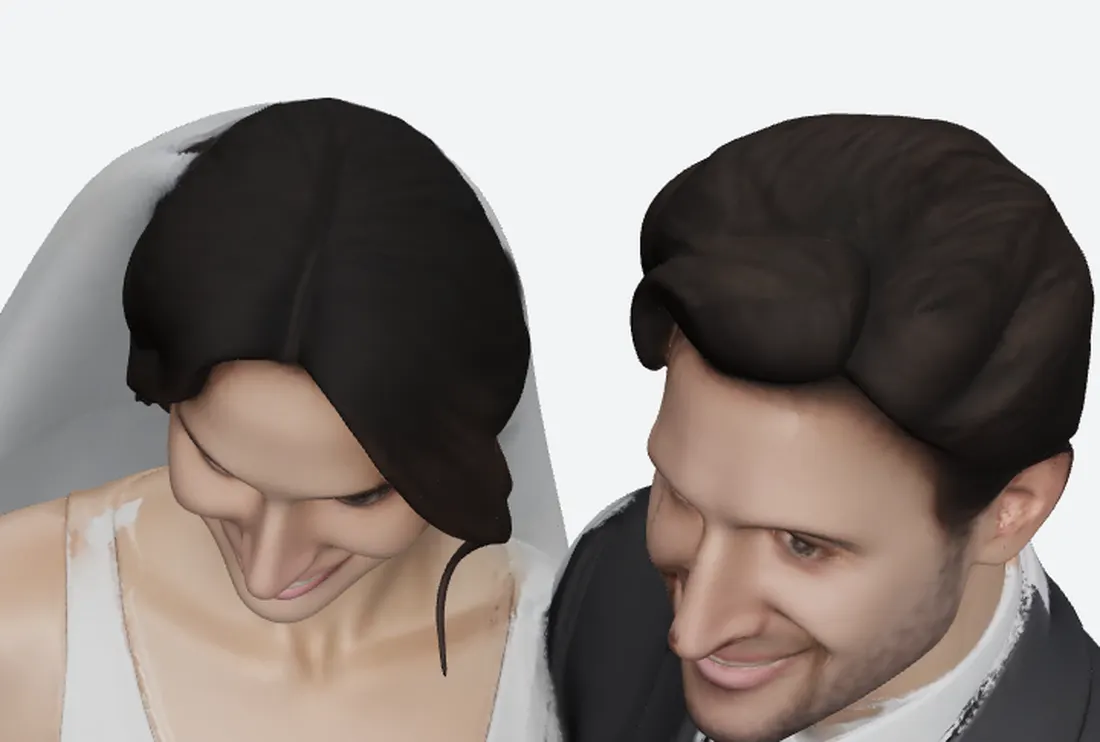
This is the pair to enlarge. The photo has a composed, slightly open smile. Tripo pulled the mouth corners toward the ears, exposed both rows of teeth, hollowed the area beneath the cheekbones and pushed the complexion grey. That is not extra detail; the expression left. SupaVoxel resolved it into a closed, restrained smile — strictly speaking neither reproduces the photo’s exact expression, but one of them can sit on a cake.
While you are there, look at the hair: Tripo separates individual strands and SupaVoxel renders one solid hairstyle. That is a real Tripo strength. At 120 mm, a hair strand is well under 0.1 mm and no machine in this price range resolves it; a face is the first thing every guest looks at.
Disagreement 2: the black forearm
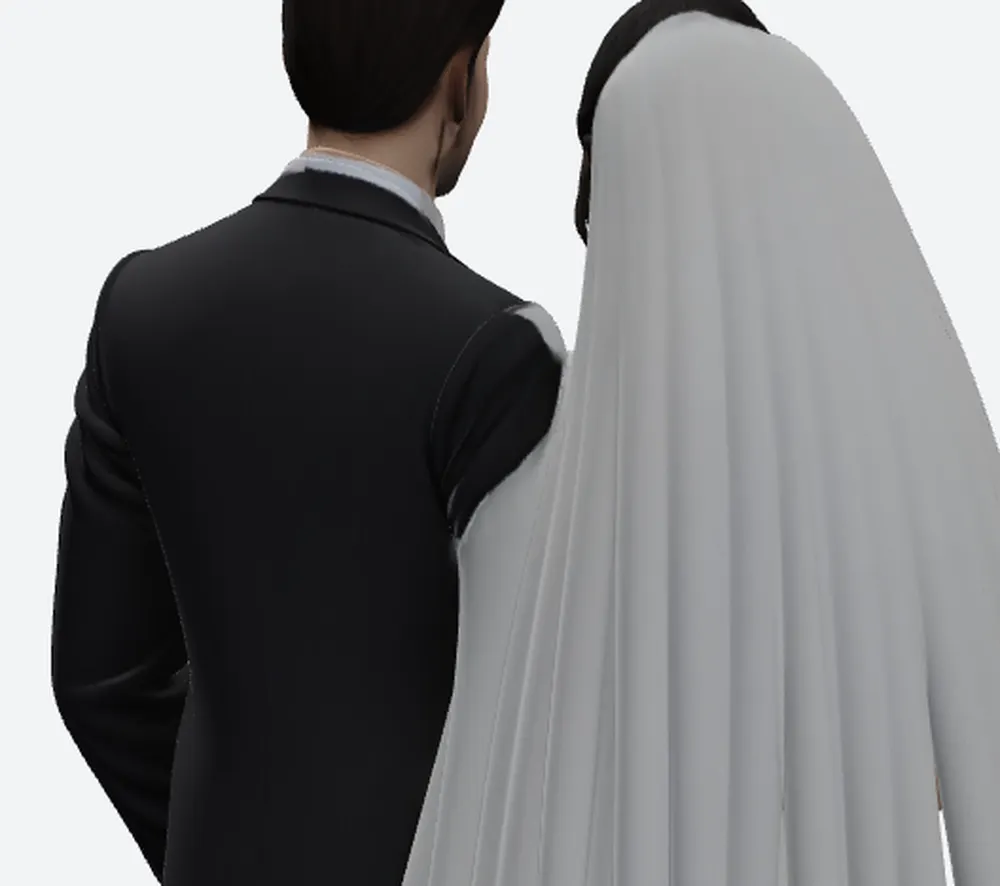
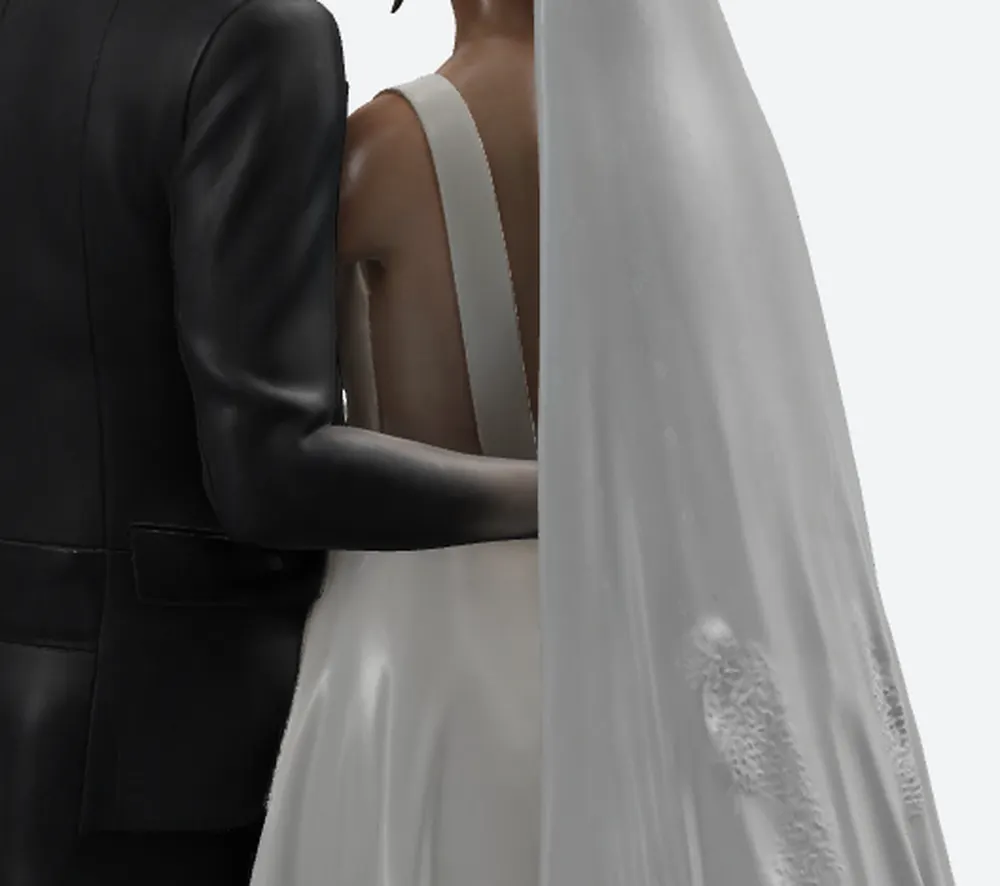
The groom’s hand rests behind the bride’s back. In the Tripo model the jacket’s black runs from the cuff down the wrist and out to all five fingers. There is nothing to correct in the mesh here — the geometry is fine, the texture is wrong — so the fix is a Photoshop session on a 4096 map, per copy, per customer. SupaVoxel’s cuff ends where a cuff ends.
Disagreement 3: the shadow that became skin
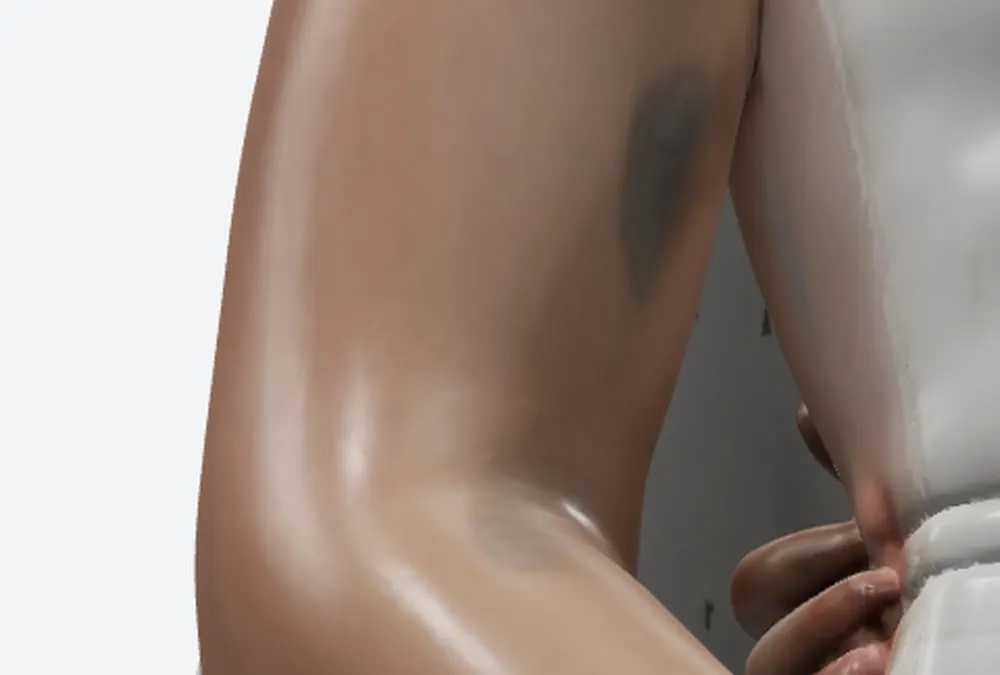
The photo has shadow on the bride’s upper arm. Tripo read it as pigment and baked it in: one large grey-green patch on the upper arm, a smaller one at the elbow. Because both survive the unlit albedo render, no viewer, no light rig and no engine will remove them. On a wedding keepsake that reads as a bruise.
The side the photo never showed
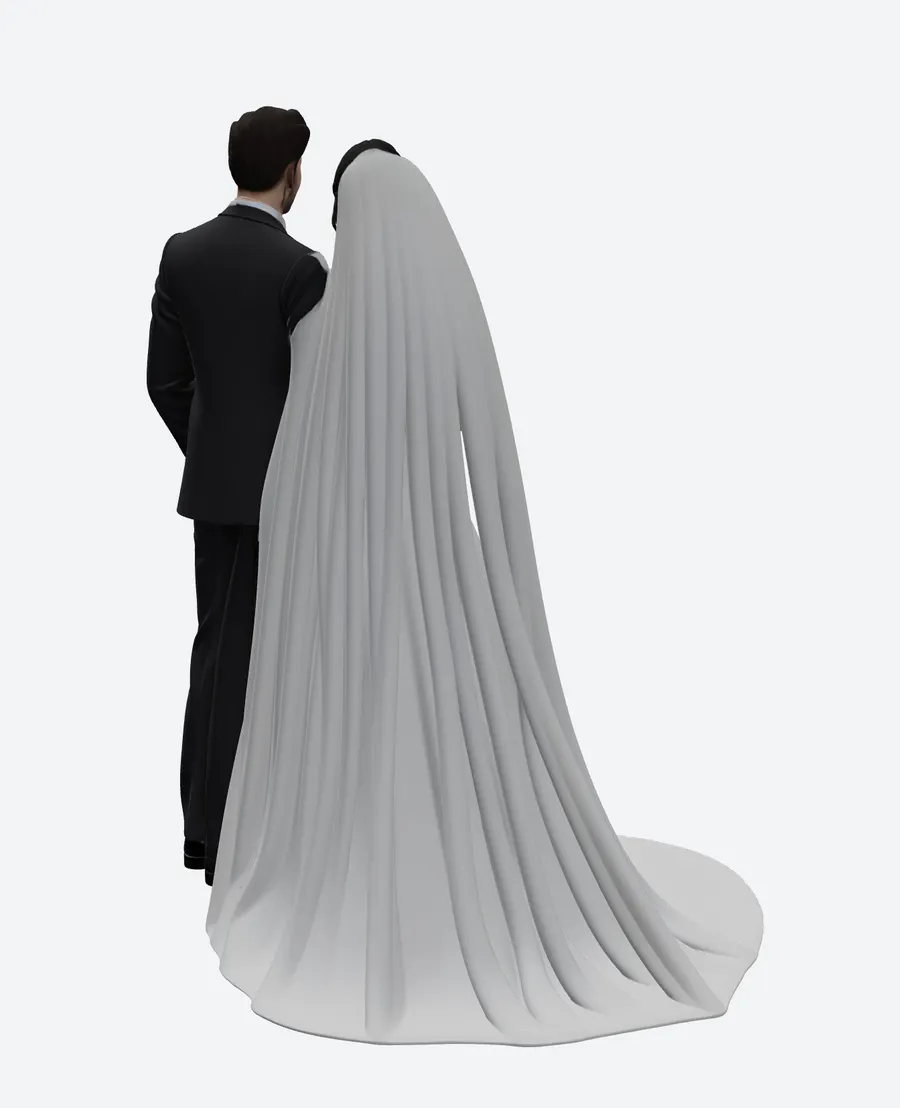
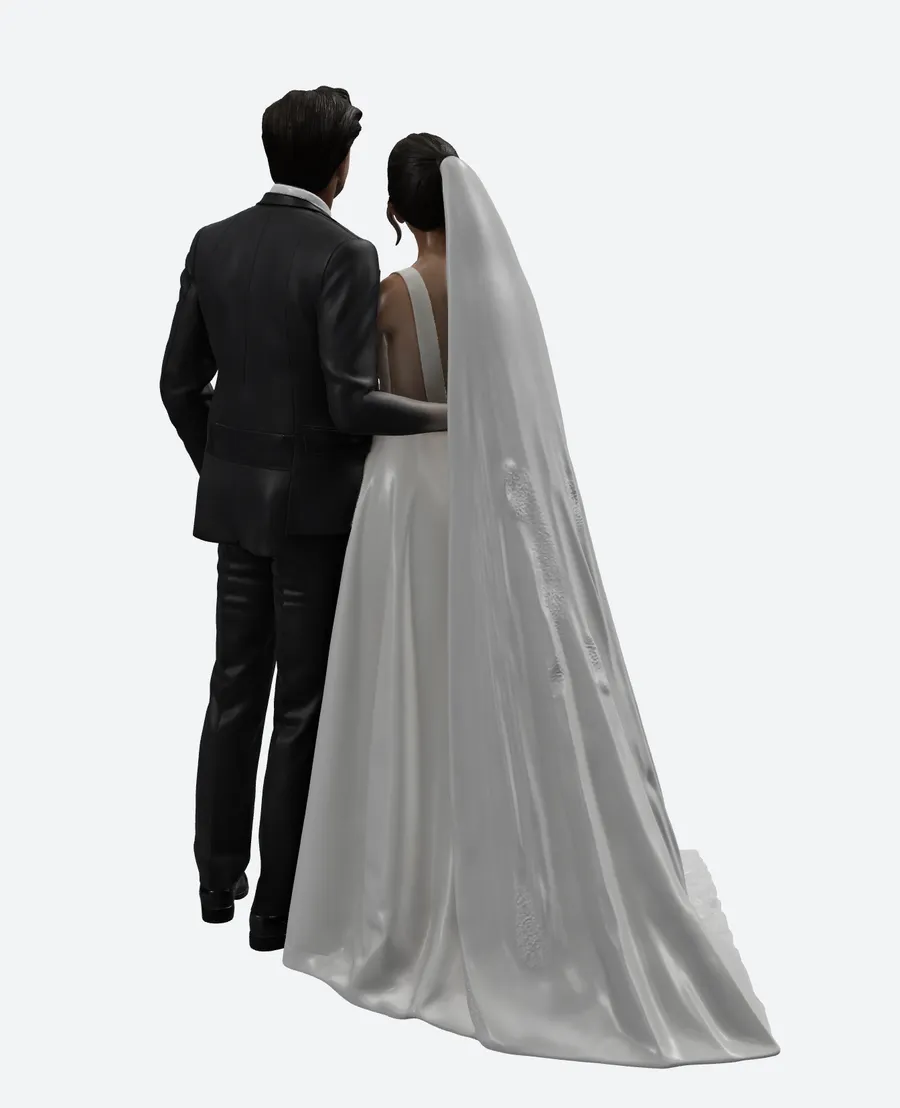
A single front-facing photo contains no information about the back of a dress, so this is where the generative prior is actually being examined. SupaVoxel invented one continuous cathedral veil with folds running from the crown to the floor, and — importantly — stopped the groom’s sleeve where a sleeve stops. Tripo’s skirt and embroidery on this side are good work; its version of the groom’s arm is the black one.
Where Tripo genuinely wins: the bouquet
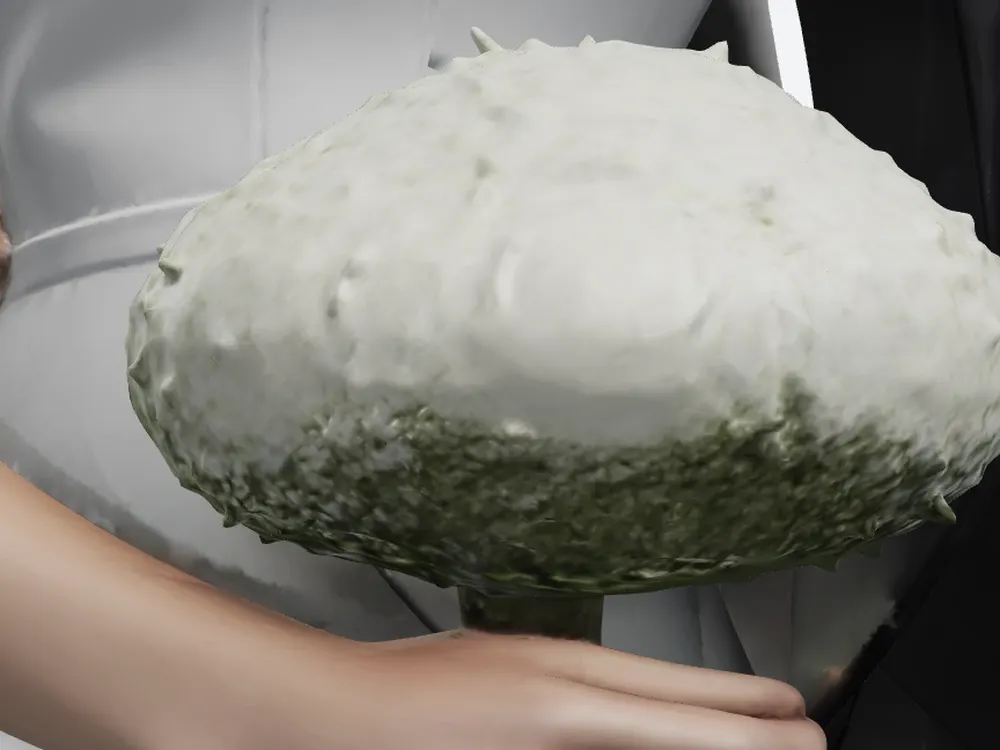
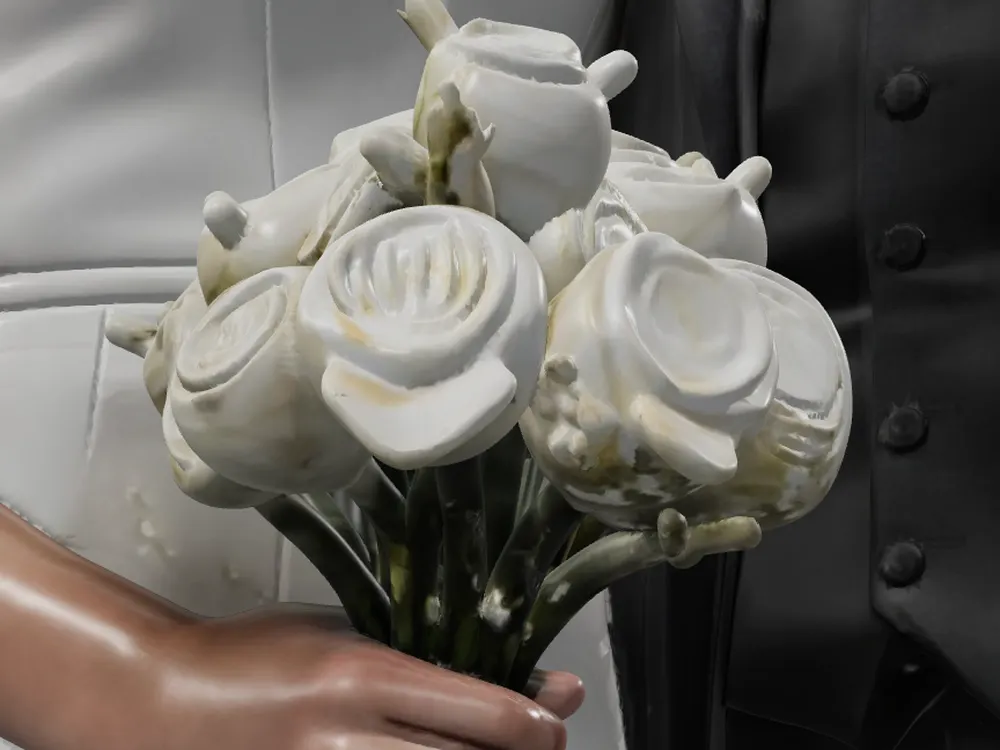
Fair is fair. Tripo separated the roses in the bouquet into individual blooms. SupaVoxel merged them into one mass, and that is a real geometric shortcoming, not a matter of taste. It also rendered lace embroidery along the veil edge, which is the prettiest single detail either product produced in this test.
Now the exchange rate. On a 120 mm figurine the bouquet is roughly 12 mm across and one rose about 3 mm. A common FDM nozzle is 0.4 mm and a typical resin layer is 0.05 mm: on FDM you will not see the difference at all, on resin you will see a little. The price of that little is 18.3× the credits, 1.76× the file, one hole to patch, one normals pass to run — and a bride with a bruise and a groom with a black glove.
Same 3 × 4096 maps, 4.7× the bytes
Both products ship three 4096 × 4096 maps. That is where the similarity ends.
- Total texture payload — Tripo 7.11 MB (2 JPEG + 1 PNG) · SupaVoxel 1.51 MB (WebP) — 4.7×
- baseColor, the only map a colour printer uses — Tripo 2.72 MB · SupaVoxel 0.79 MB — 3.5×
- normal map — Tripo 2.89 MB, stored as PNG · SupaVoxel 0.24 MB
- metallicRoughness — Tripo 1.50 MB · SupaVoxel 0.48 MB
- Bytes per megapixel — Tripo 138.0 KB/Mpx · SupaVoxel 29.2 KB/Mpx
- Downloaded but useless for printing — Tripo 4.39 MB · SupaVoxel 0.72 MB — 6.1×
- UV atlas coverage — Tripo 57.75% · SupaVoxel 45.81% — Tripo packs its atlas better
A 2.89 MB PNG normal map is the clearest single decision in the Tripo file. Normal maps are tangent-space vectors that tolerate compression well; storing one lossless costs 2.65 MB over SupaVoxel’s WebP, and a printer does not read normal maps at all. Tripo does win the atlas-packing row at 57.75% against 45.81% — it uses the texture space it allocates more efficiently, it just allocates far too many bytes to it.
What the weight costs you downstream
- GLB size — Tripo 17.30 MB · SupaVoxel 9.85 MB — 1.76×
- Bytes per triangle — Tripo 9.04 B · SupaVoxel 6.57 B — meshopt plus quantisation
- First load, 12 Mbps 4G — Tripo 11.5 s · SupaVoxel 6.6 s
- First load, 100 Mbps home — Tripo 1.4 s · SupaVoxel 0.8 s
- 10,000 loads a month — Tripo 173.0 GB · SupaVoxel 98.5 GB
- CDN bill at $0.10/GB — Tripo $17.30 · SupaVoxel $9.85 — saving $7.45 a month
- Geometry VRAM — Tripo 54.9 MB · SupaVoxel 45.6 MB
- Batch of 100 downloads — Tripo 1.73 GB · SupaVoxel 0.98 GB
Assumptions, so you can recompute them: decimal MB/GB, 12 Mbps for mobile and 100 Mbps for home, CDN at $0.10/GB, VRAM at 32 B/vertex (position, normal, UV) plus 4 B/index. Eleven and a half seconds is the number that should worry a wedding shop — it is well past the point where a phone visitor closes the tab.
Final verdict: Tripo scores 60, and the likeness is the reason
Tripo Studio is the better renderer of hair strands and veil lace, it separates the roses, it packs a tighter UV atlas, and it gets the groom’s suit closer in colour (ΔE 5.87 against 8.80 — a row it wins outright). Then it charges 55 credits and hands back a bride whose smile has become a grimace, a groom with a black hand, two grey-green patches baked into an arm that no lighting change can remove, 4.39 MB of maps a printer cannot use, and a 17.30 MB file that takes 11.5 seconds to reach a phone.
SupaVoxel charged 3 credits and got the face, the arm and the hand right, matched the photo more closely on skin, hair and dress white, packed the same three 4096 maps into 1.51 MB, and delivered in 246.4 seconds against its own 5–10 minute estimate. Its faults here are real and I will name them: the bouquet is merged, the hairstyle is one solid mass with no strands, the suit is the one colour row it loses by a clear margin, and it has no FBX export. If your contractor accepts only FBX, take Tripo — that is its one hard win.
For every other part of “make this couple recognisable”, the 55 credits bought the worse likeness.
Use SupaVoxel for this job
If what you are selling is two specific people rendered recognisably, SupaVoxel is the one I would use: 3 credits, closer skin and hair colour, no baked-in artefacts on faces or arms, 1.51 MB of textures instead of 7.11 MB, and a 9.85 MB file your customers’ phones will actually load. Thirty free generations a month, no card, if you want to check it against your own photos first.
Also in this Tripo wedding-figurine series
Same photo, same day, same measurement rules — split across three angles:
- Tripo AI Review 2026: The STL Needs a Hole Patch Before It Slices — shells, holes, winding, 13.35% support area and what a print shop has to fix before the slicer accepts the file.
- Tripo AI Review 2026: 55 Credits for One Printable Wedding Figurine — what the credits, the $240/yr commercial licence and the trial-metered switches cost a shop across 100 pieces.