Tripo AI Review 2026: The STL Needs a Hole Patch Before It Slices
My verdict in 60 seconds — Tripo 58/100, SupaVoxel 91/100
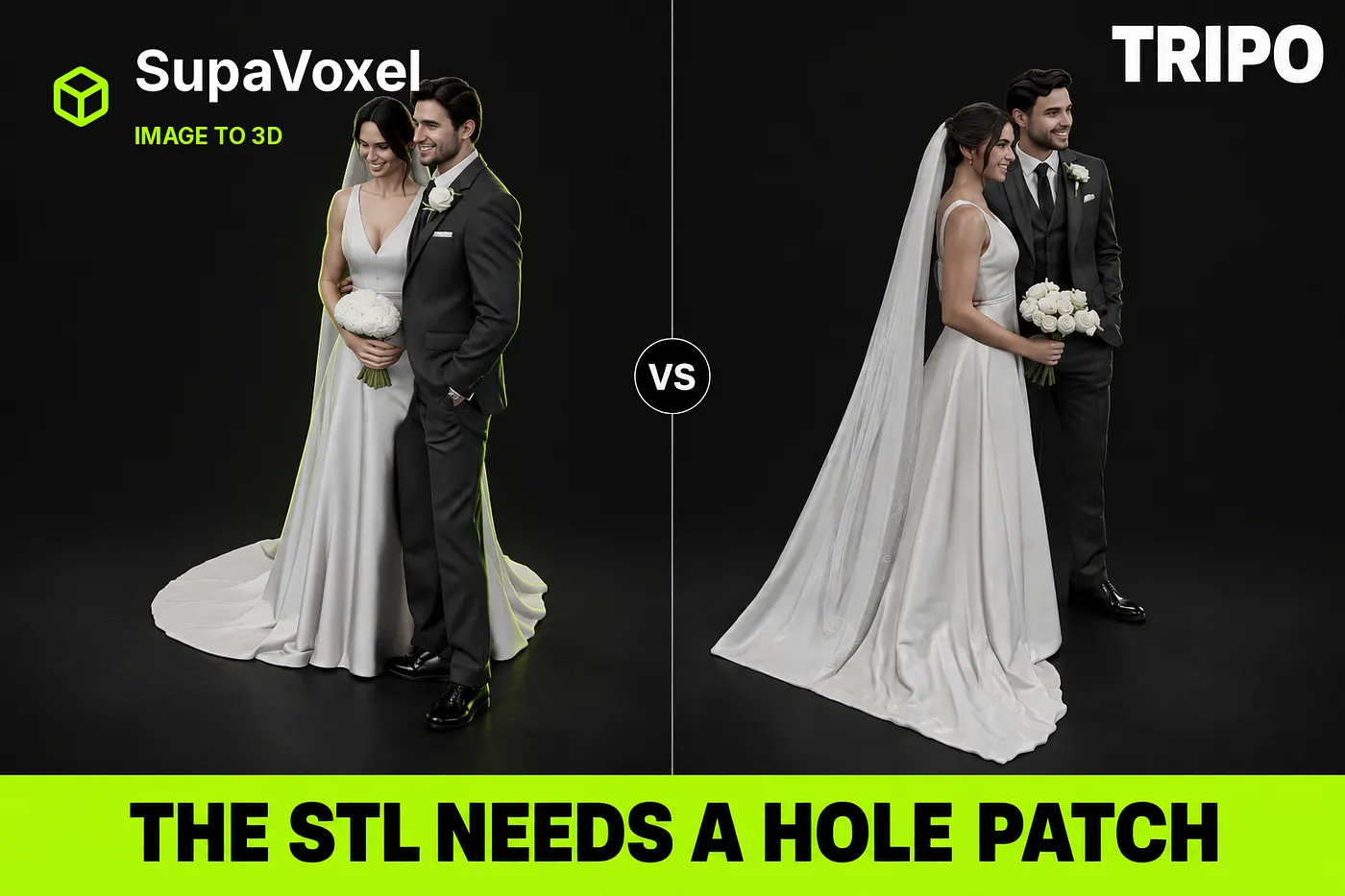
I gave one wedding photo to two image-to-3D products on the same day, exported STL from both, and measured the result the way a print shop measures it: weld the vertices by position, then count shells, holes, winding, overhangs and resin. Tripo came back with 1,913,271 triangles, one boundary hole and inconsistent face winding — a slicer reads that as “not a solid”. SupaVoxel came back with 1,499,662 triangles, one closed shell, zero holes and consistent winding, for 3 credits instead of 55.
Here is the scorecard for this one job — turning a photo into a printable 120 mm cake topper.
- Watertight after welding — Tripo 4/10 (1 boundary edge left) · SupaVoxel 10/10 (0) — this alone decides whether you open Blender
- Face winding — Tripo 3/10 (inconsistent, inverted faces present) · SupaVoxel 10/10 (consistent)
- Support burden at 45° — Tripo 6/10 (13.35%, 4,348.2 mm²) · SupaVoxel 9/10 (9.44%, 3,786.8 mm²)
- Usable precision — Tripo 9/10 (0.198 mm mean edge) · SupaVoxel 9/10 (0.249 mm) — both already finer than a 0.4 mm nozzle
- Mesh hygiene — Tripo 9/10 (0 degenerate faces, 0.02% slivers) · SupaVoxel 6/10 (19 and 1.05%) — Tripo genuinely wins this row
- Export path to STL — Tripo 5/10 (four steps, a dialog, “No Texture and Skeleton”) · SupaVoxel 9/10 (two clicks, plus Fix Mesh and 3D Printing)
- Pre-export inspection — Tripo 3/10 (a material ball) · SupaVoxel 10/10 (Textured / Mesh / Wire / Normals / X-Ray)
- Resin and footprint — Tripo 8/10 (130.55 cm³, $4.57, 82.1 × 80.3 mm) · SupaVoxel 8/10 (123.09 cm³, $4.31, 94.3 × 81.1 mm)
What is actually wrong with the Tripo file, part by part: the mesh still has a boundary edge after welding, so the slicer will not treat it as a solid; the winding is inconsistent, so some faces point inward and the slicer sees inside-out surfaces; 13.35% of the surface needs support, which is 561.4 mm² more scar to sand off every single copy; and 414 thousand extra triangles buy you 0.05 mm of edge length that a 0.4 mm nozzle physically cannot resolve. For this job — one photo, one 120 mm figurine, one slicer — use SupaVoxel.
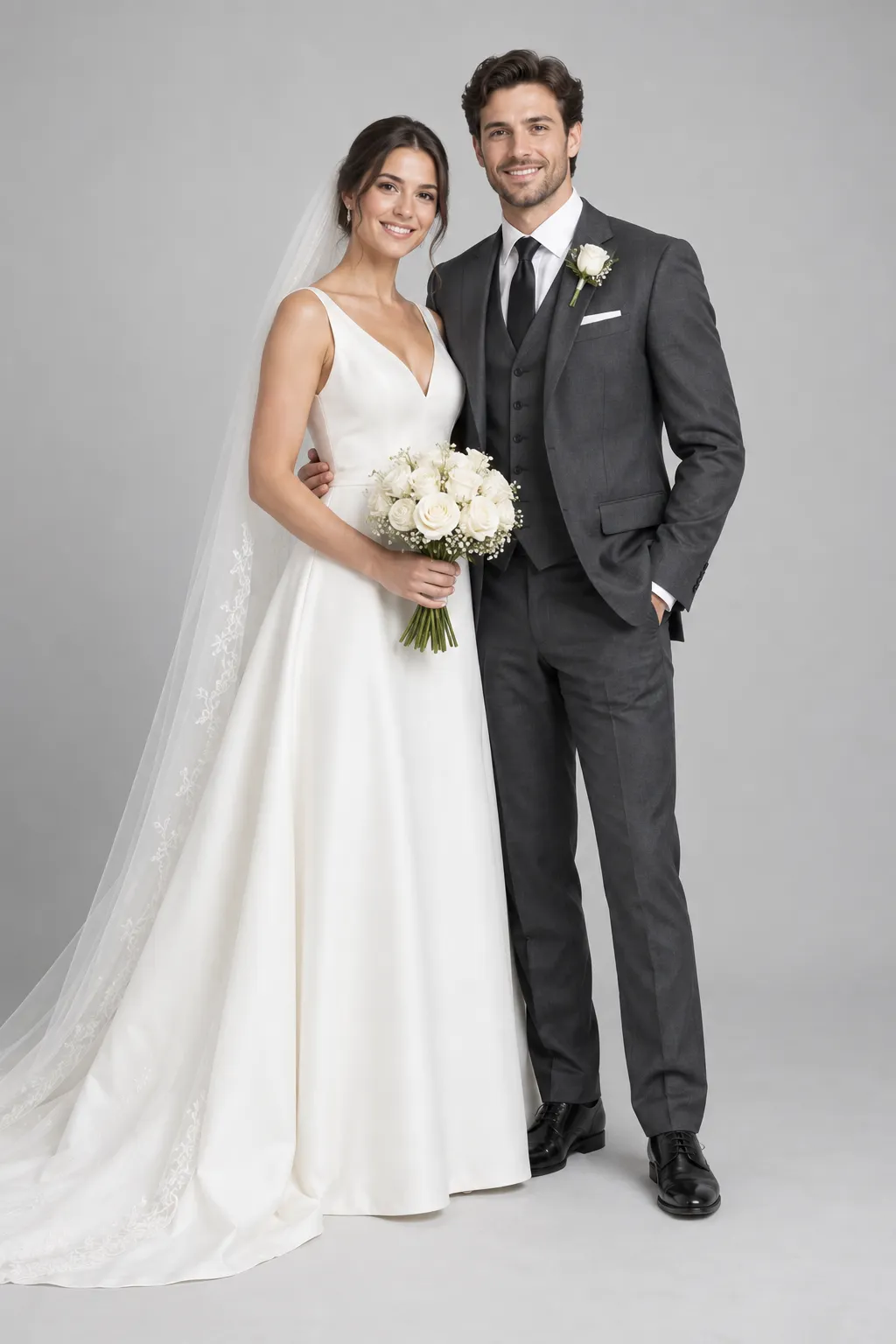
The test, in one paragraph
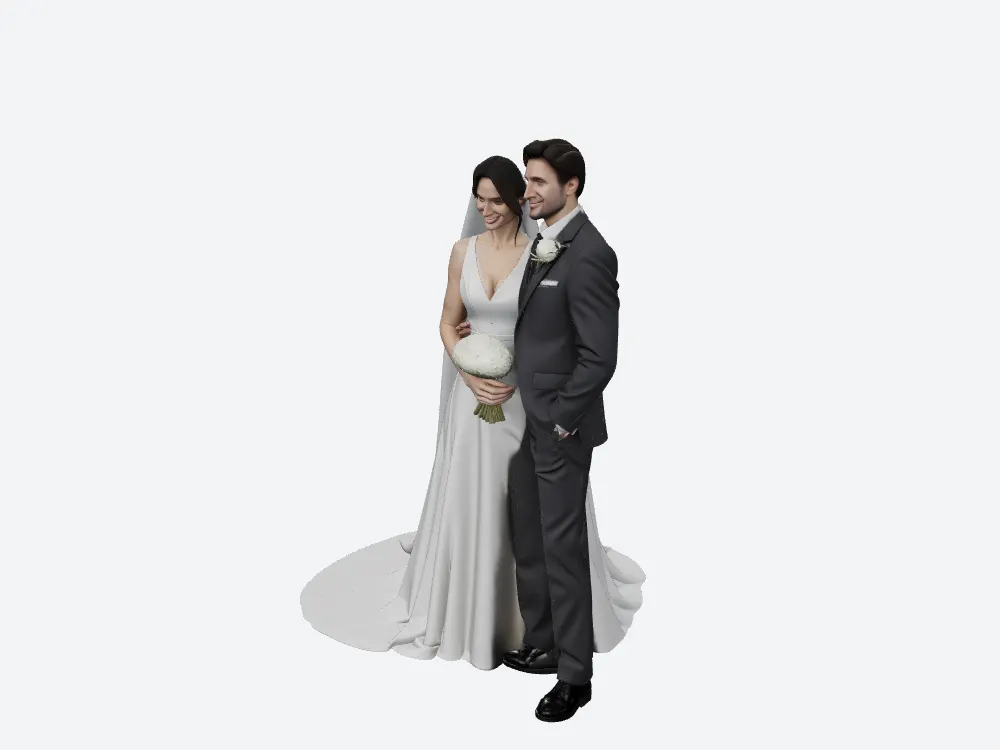
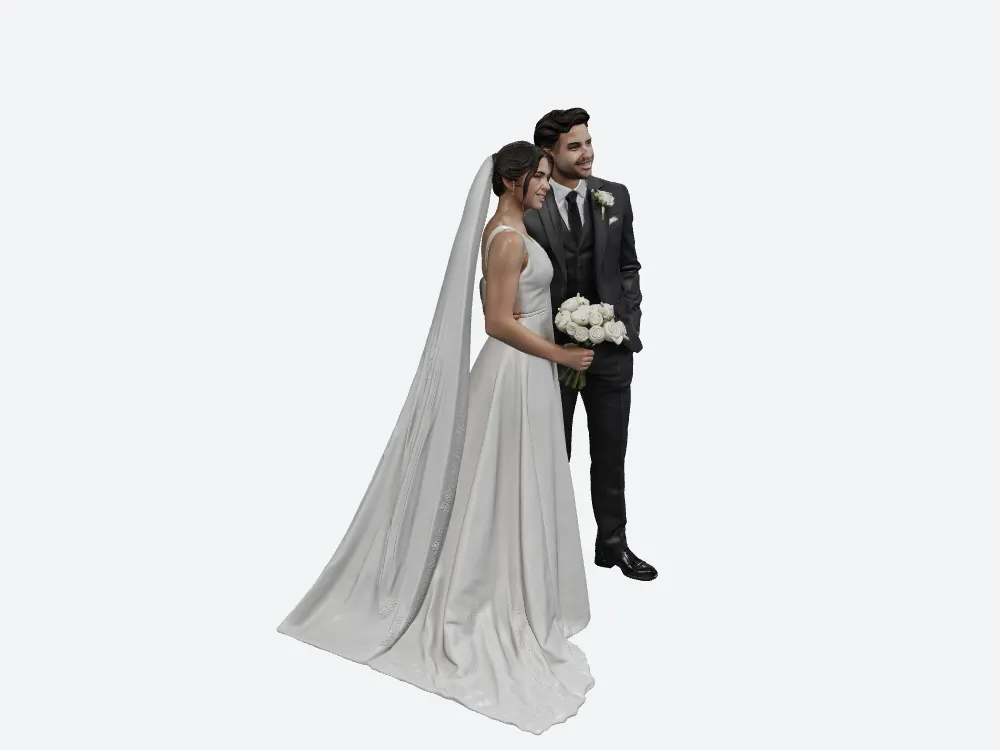
One image. Two products. Tripo Studio on an HD Model generation (Best Quality, Clean Topology off — more on that switch later), SupaVoxel on a Full Model with Advanced Options left at defaults (Inference Steps 5, Guidance 5.5, Remove Background on, Octree Resolution 256). Both GLBs were downloaded and parsed offline with pygltflib and trimesh — no numbers were copied from either product’s UI, although both panels happen to agree with the files. Every render below comes from the same offline rig (three.js, RoomEnvironment, exposure 0.75) with the same camera positions, so a pair of images is one viewpoint, not two flattering angles.
Why you have to weld the vertices before you measure anything
Both products export GLBs that split vertices along UV seams. Count shells on the raw file and Tripo reports 557 shells and 81,573 boundary edges; SupaVoxel reports 5,034 shells and 222,762 boundary edges. Those numbers describe texture seams, not geometry. Every slicer welds by position on import, so the honest measurement is taken after merge_vertices. Tripo goes from 997,979 file vertices to 956,560 merged; SupaVoxel from 864,077 to 749,792.
After welding, the picture changes completely and stops being flattering for Tripo.
- Shells — Tripo 1 · SupaVoxel 1 — tie
- Boundary edges, i.e. holes — Tripo 1 · SupaVoxel 0
- Winding consistent — Tripo False · SupaVoxel True
- Non-manifold edges — Tripo 2 · SupaVoxel 2 — tie, one click in any repair tool
- Degenerate faces — Tripo 0 · SupaVoxel 19
- Sliver faces — Tripo 0.02% · SupaVoxel 1.05% (15,740 faces)
One hole and an inconsistent winding is not a rounding error. It is the difference between dragging the STL into the slicer and dragging the STL into Blender first. In Tripo’s case you will fill one boundary loop and run a recalculate-normals pass before you can do anything else, on every copy you generate. SupaVoxel’s file skips that step entirely — and this is the one number in this article that made me stop treating the credit difference as the headline.
The 414,000 extra triangles do not reach the print
Tripo delivers 1,913,271 triangles against SupaVoxel’s 1,499,662. That sounds like a straightforward win until you convert it into the only unit that matters on a printer: mean triangle edge length at the target height.
At 120 mm tall, Tripo’s mean edge is 0.198 mm and SupaVoxel’s is 0.249 mm. A common FDM nozzle is 0.4 mm. Both models are already finer than the tool that will make them — Tripo by 2.0× and SupaVoxel by 1.6×. The extra 413,609 triangles buy 0.051 mm of edge length below a threshold neither printer nor eye can use. What they do buy is 7.45 MB of extra file and 9.3 MB of extra geometry VRAM (54.9 MB versus 45.6 MB at 32 B/vertex plus 4 B/index).
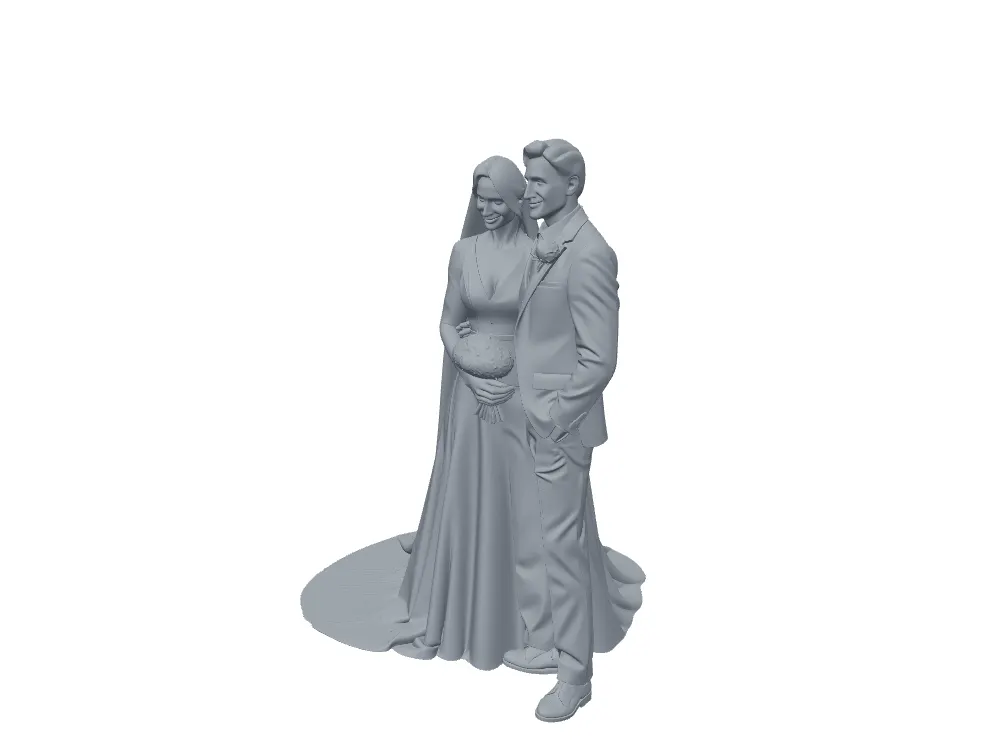
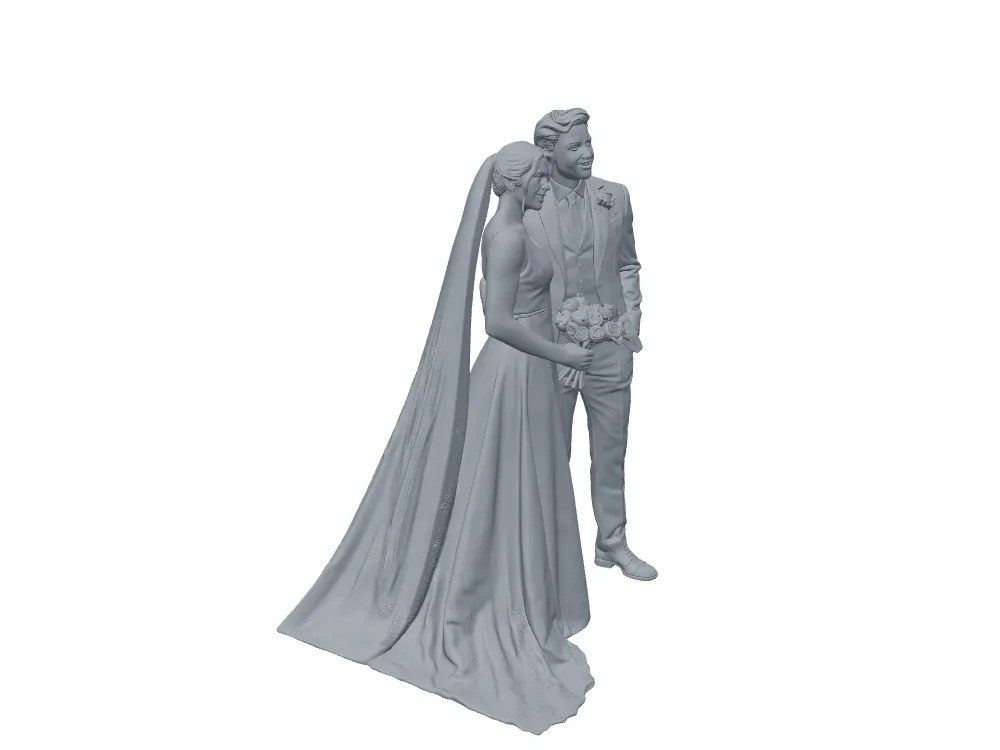
The wireframes say “denser”, not “better”
If the extra triangles were buying topology — quads, edge loops, clean poles — the density would be worth paying for even if the printer ignored it. They are not. Both wireframes are unstructured triangle soup. Tripo’s is simply a finer soup.
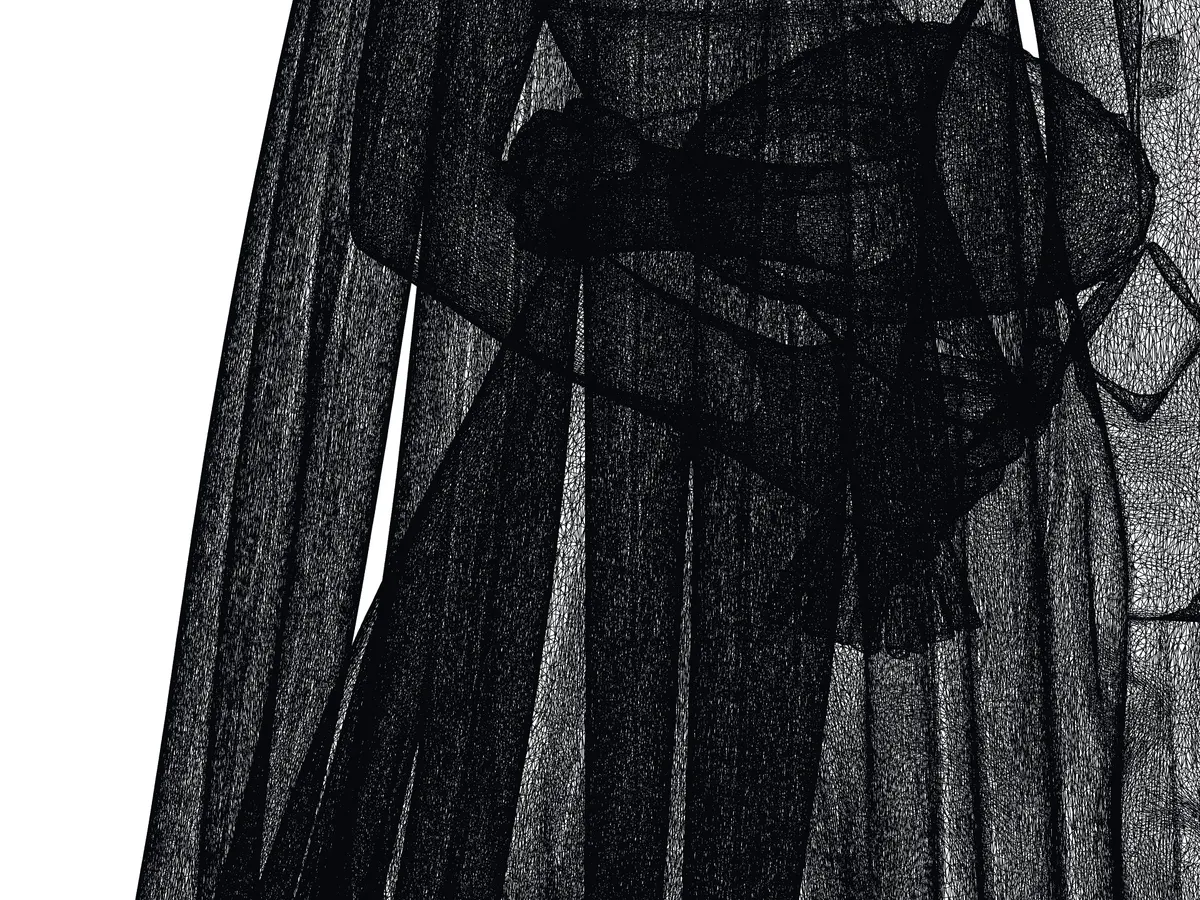
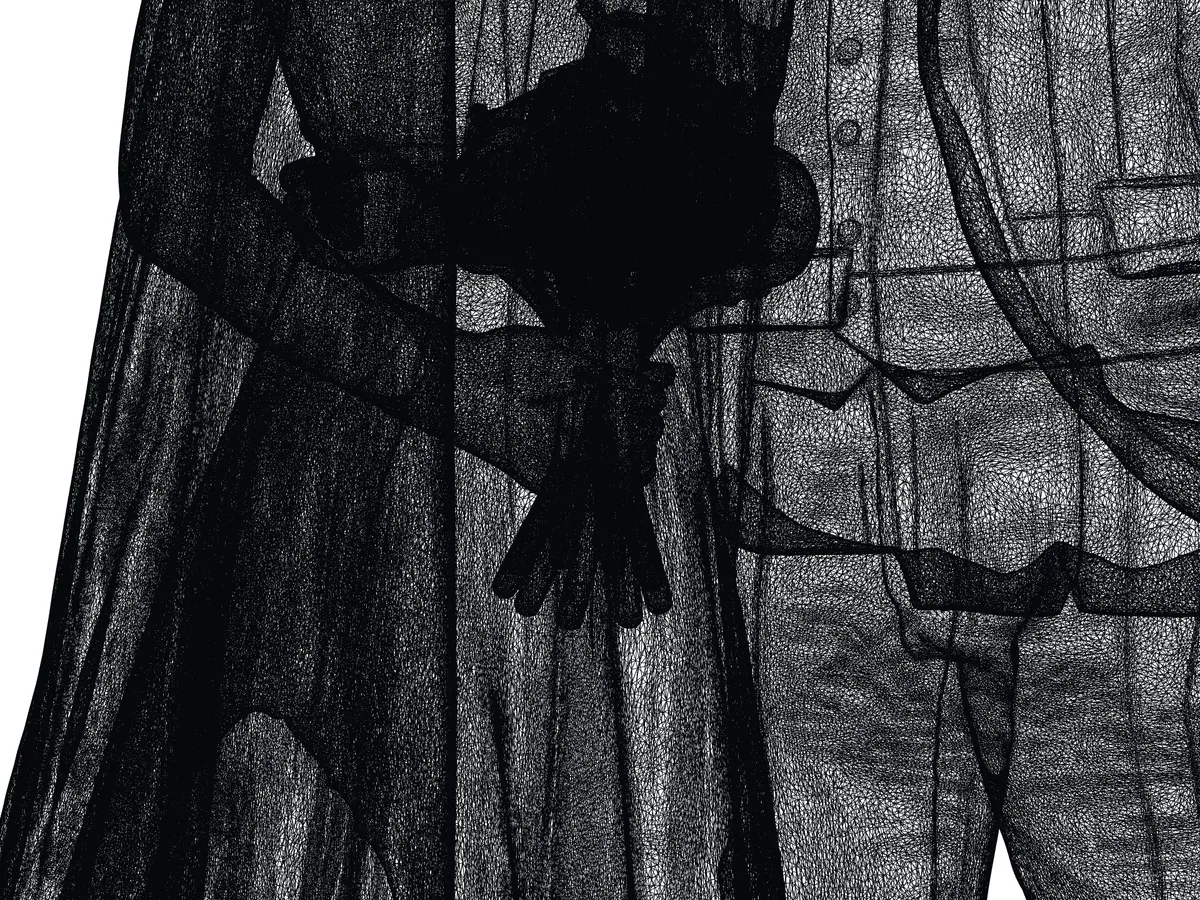
There is a switch in Tripo that is supposed to address exactly this, called Clean Topology. It is marked Trial ×2 on the generation bar. The feature that would make Tripo’s geometry argument real is the one Tripo rations to two uses.
Support: 3.91 percentage points is a scar count, not a statistic
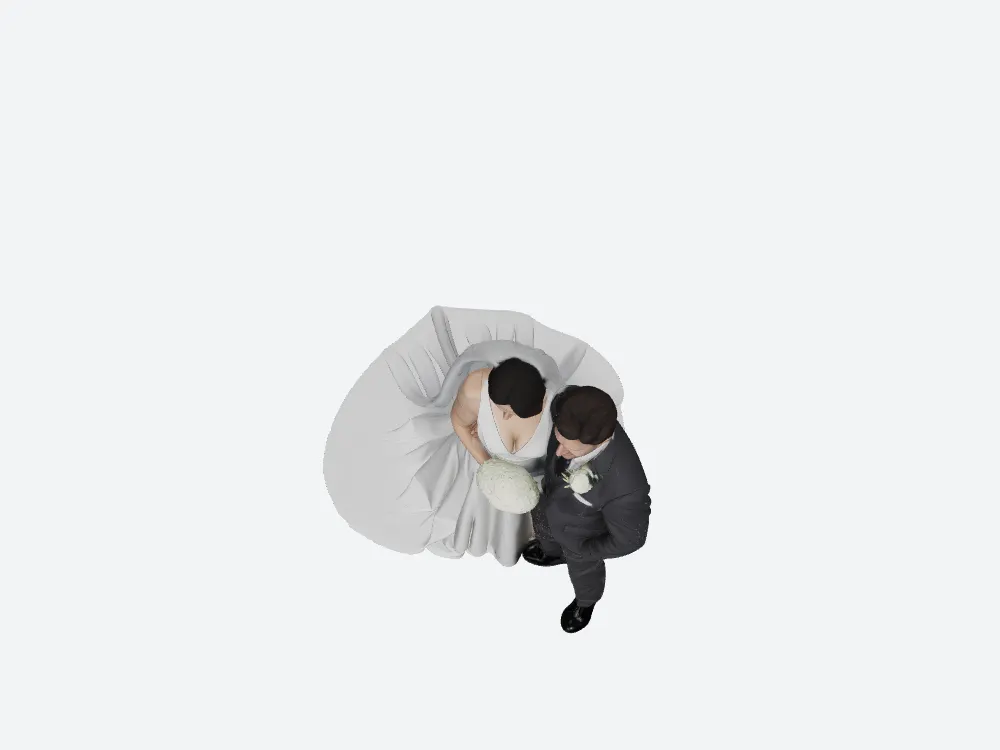
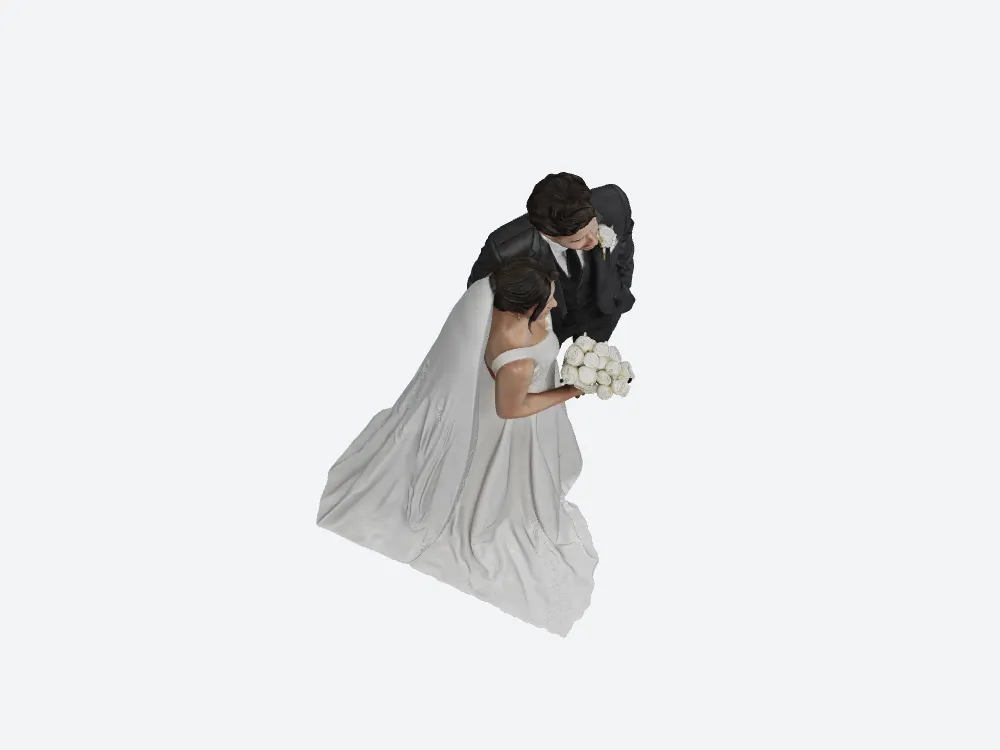
Counting the area whose face normals point more than 45° downward, scaled to a 120 mm print: Tripo needs support on 13.35% of the surface, or 4,348.2 mm². SupaVoxel needs it on 9.44%, or 3,786.8 mm². That is 561.4 mm² of extra contact between support and figurine on every copy, and each of those contacts leaves a mark on a dress, a sleeve or a face that someone has to sand.
Footprint and resin: the one plate-level row Tripo wins
At 120 mm, Tripo’s bounding footprint is 82.1 × 80.3 mm against SupaVoxel’s 94.3 × 81.1 mm. Tripo’s piece is 12 mm narrower on the long side, which on a small resin plate is a real consideration — you may have to angle SupaVoxel’s skirt to fit a compact LCD machine. Credit where it is due.
Volume goes the other way: 130.55 cm³ for Tripo against 123.09 cm³ for SupaVoxel, which at $35/L of standard grey resin is $4.57 against $4.31 — $0.26 per copy, $26 across a hundred. The more interesting number in that pair is the ratio of surface to volume: Tripo puts 32,567.7 mm² of surface on 130.55 cm³, SupaVoxel 40,121.4 mm² on 123.09 cm³. SupaVoxel’s model has more surface detail spread over less material.
You find out about the hole before you export — in one of them
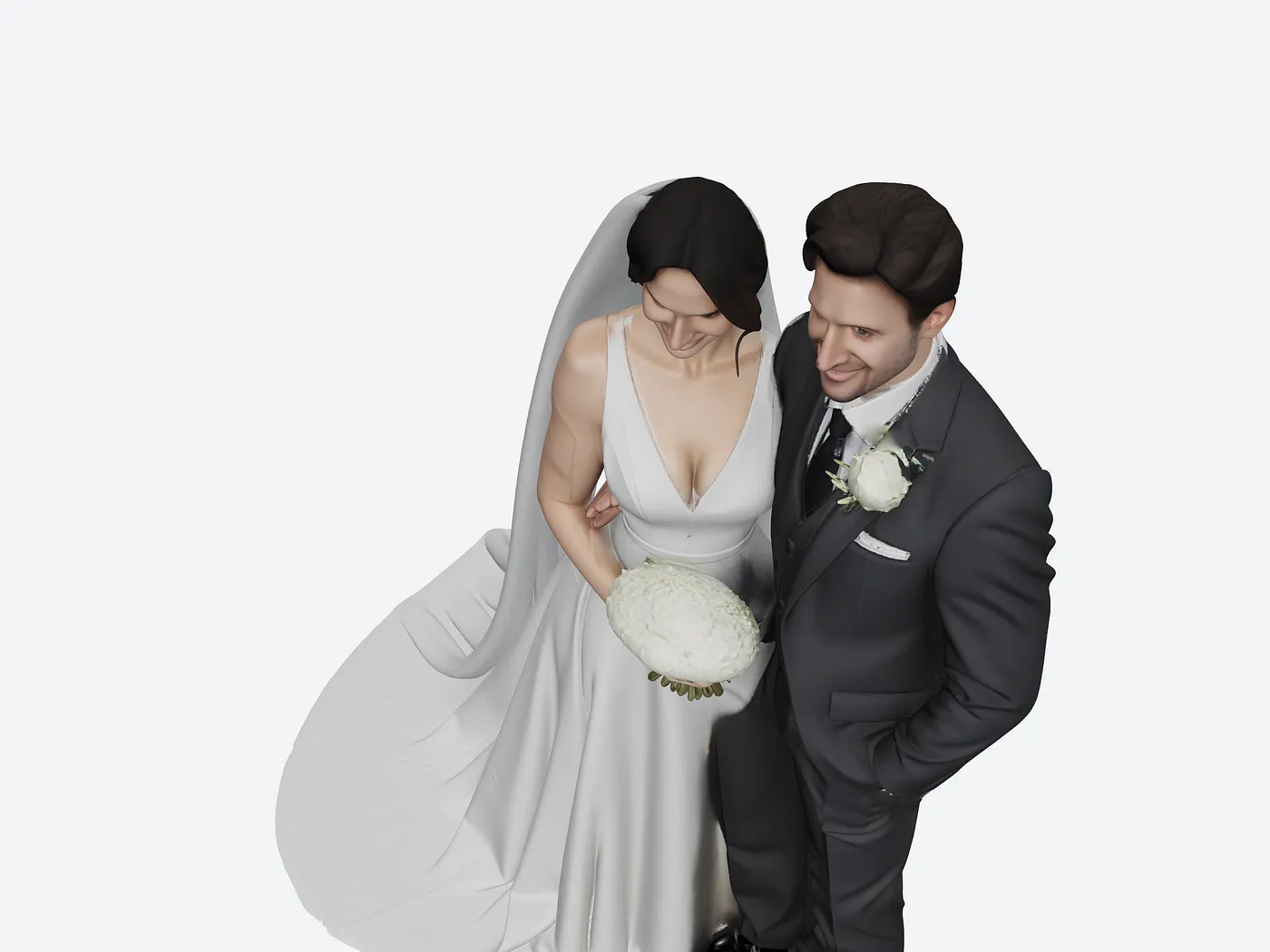
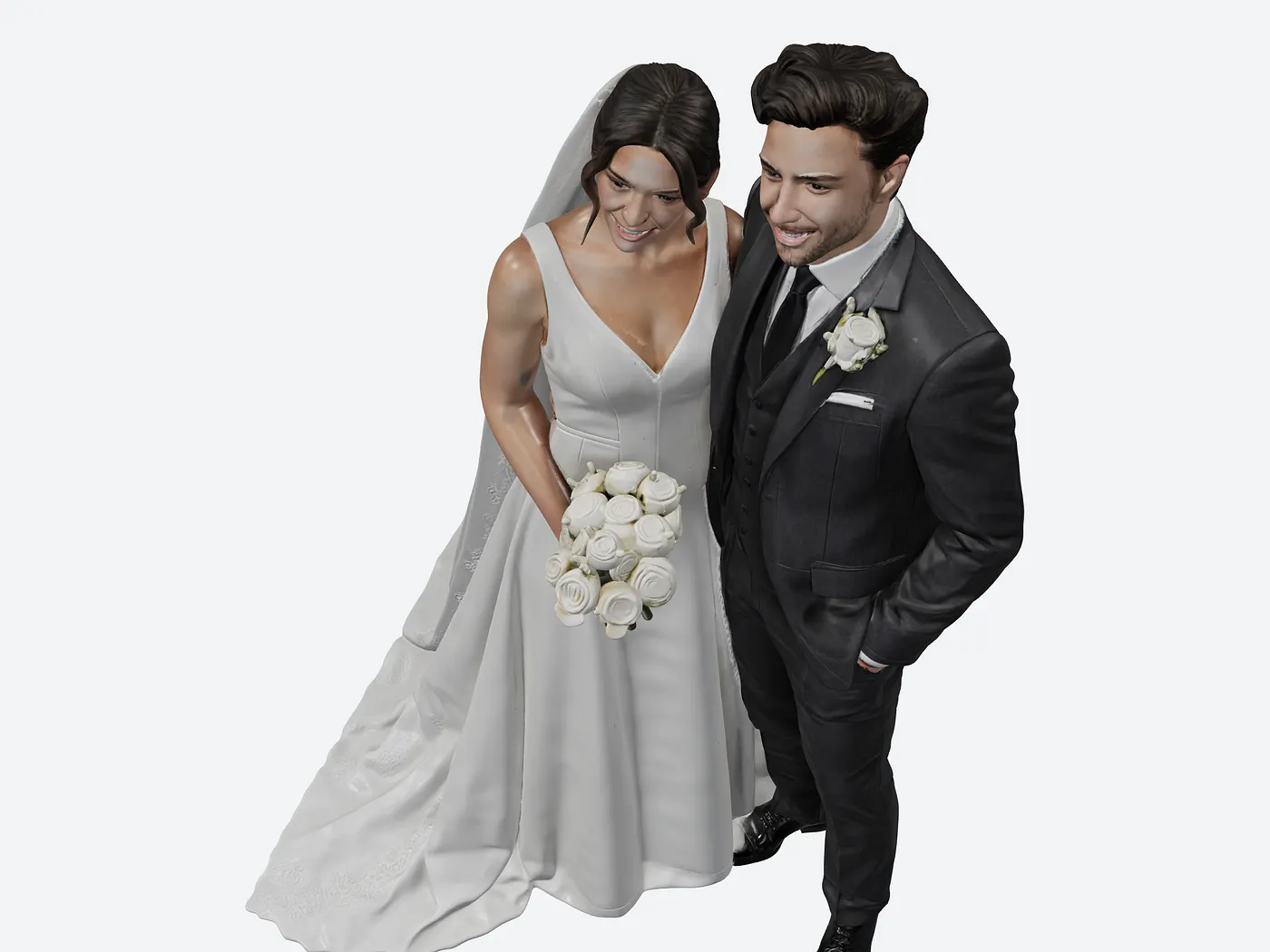
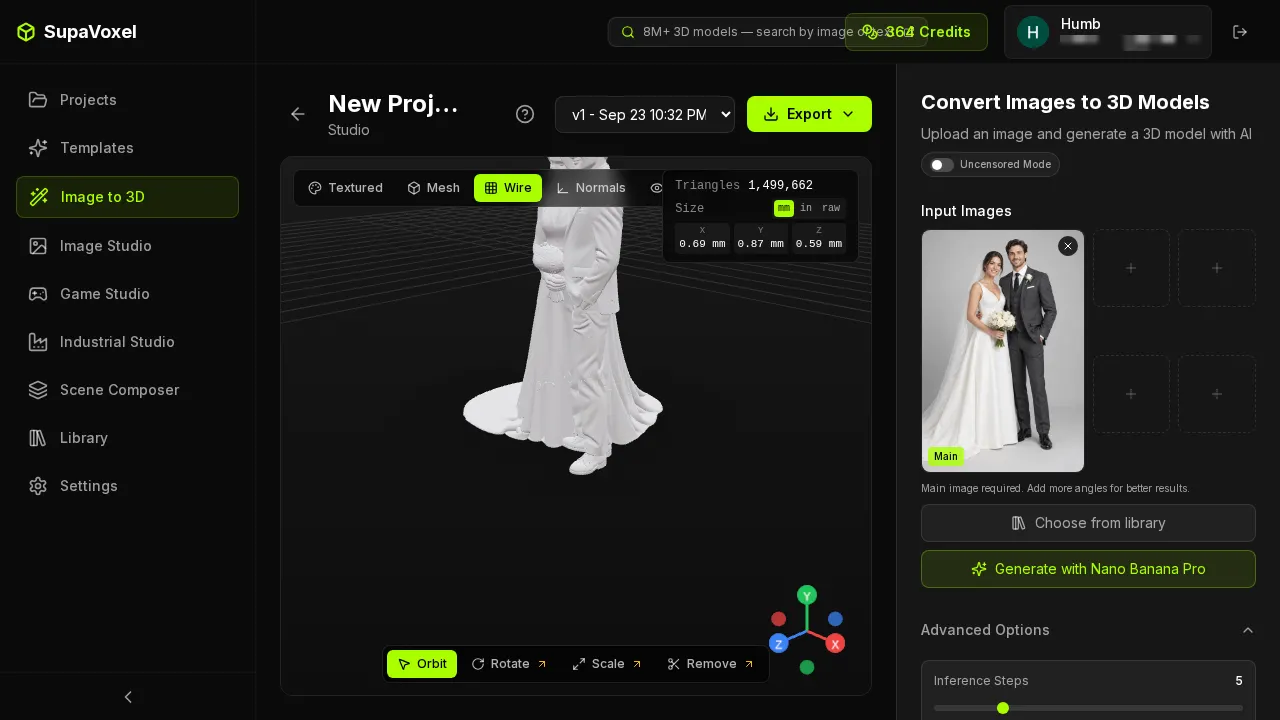
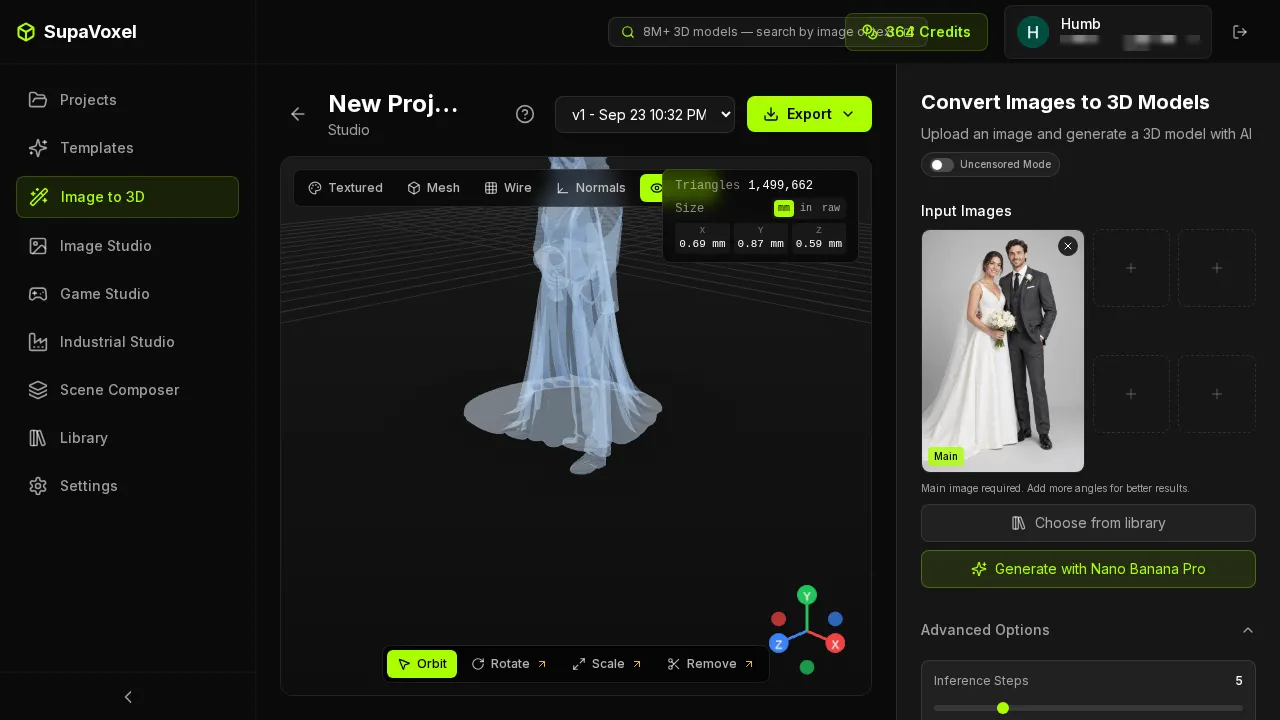
This is the part of a 3D product that never shows up in a specification table. SupaVoxel’s viewer has five inspection modes built in: Textured, Mesh, Wire, Normals and X-Ray. You can see the wireframe and look inside the model before spending a single click on an export. Tripo’s asset view offers a material-ball preview.
Getting the STL out: two clicks versus four steps and a disclaimer
SupaVoxel: click Export, click STL. The same menu also carries Fix Mesh and 3D Printing entries, which tells you who the menu was designed for. Tripo: click Export, wait for a dialog, pick a format from a dropdown, click Export again — and the STL entry carries the note “No Texture and Skeleton”, which is true of every STL ever written and reads like a warning anyway.
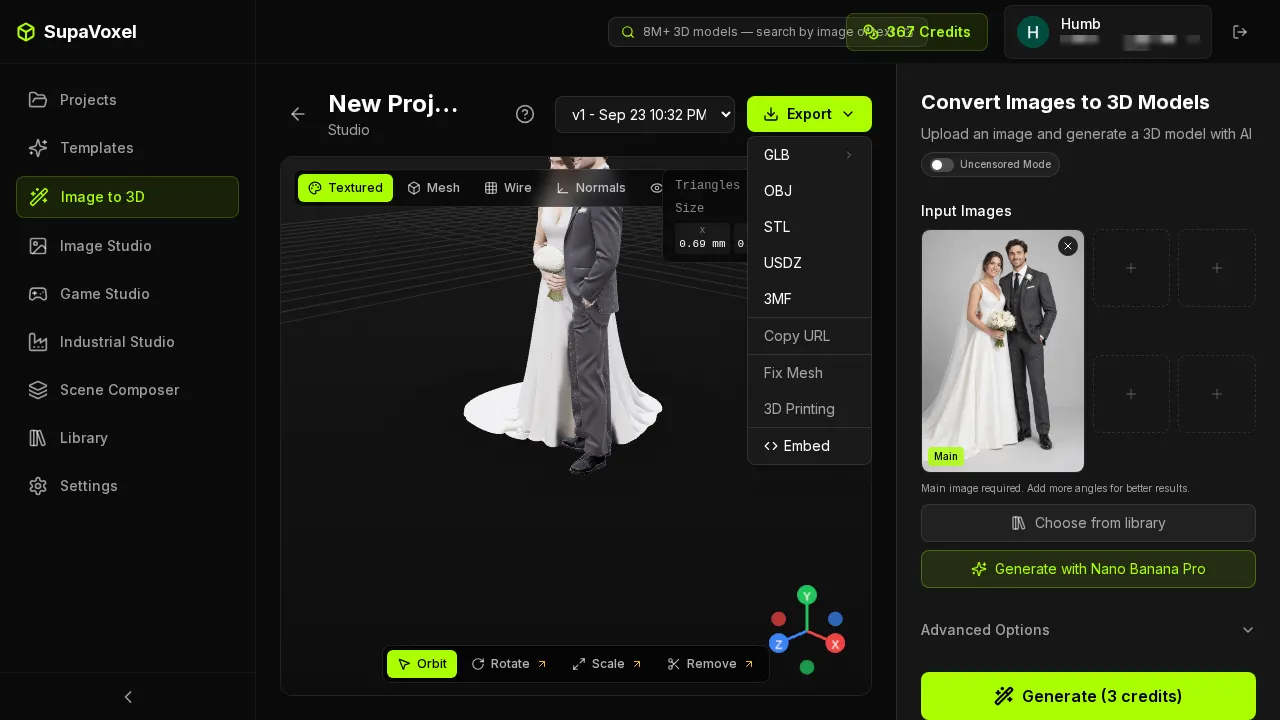
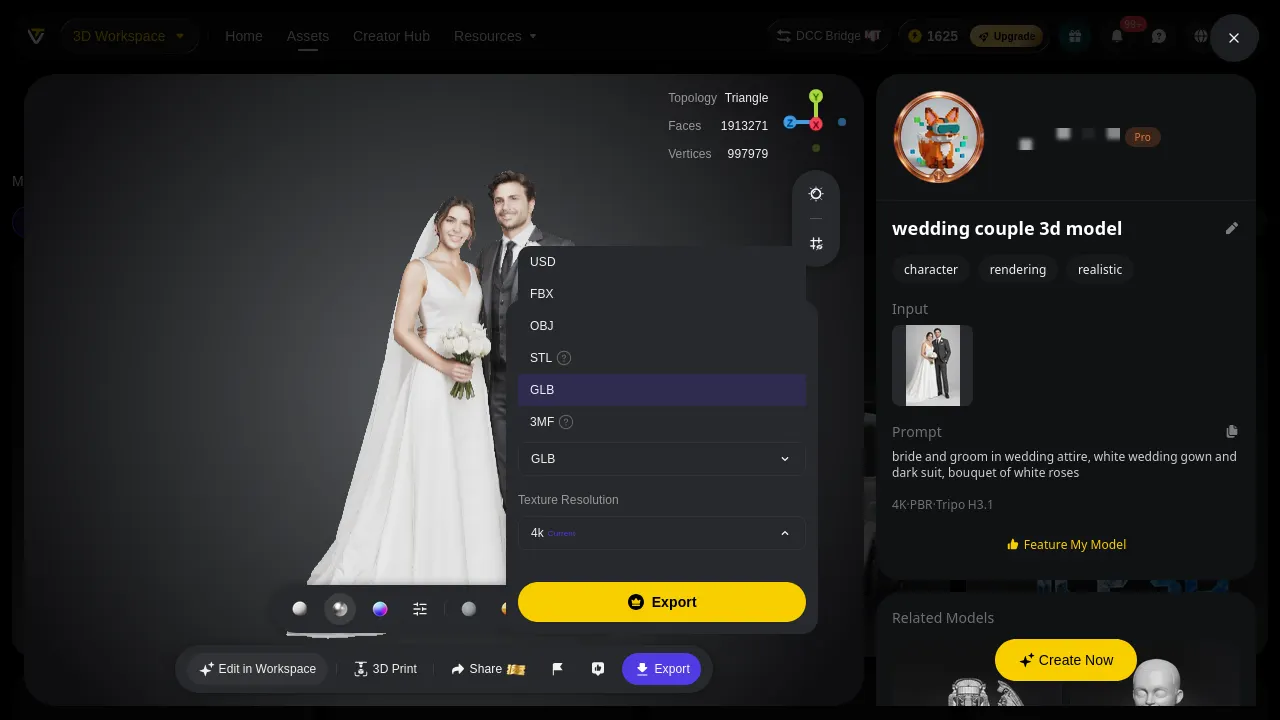
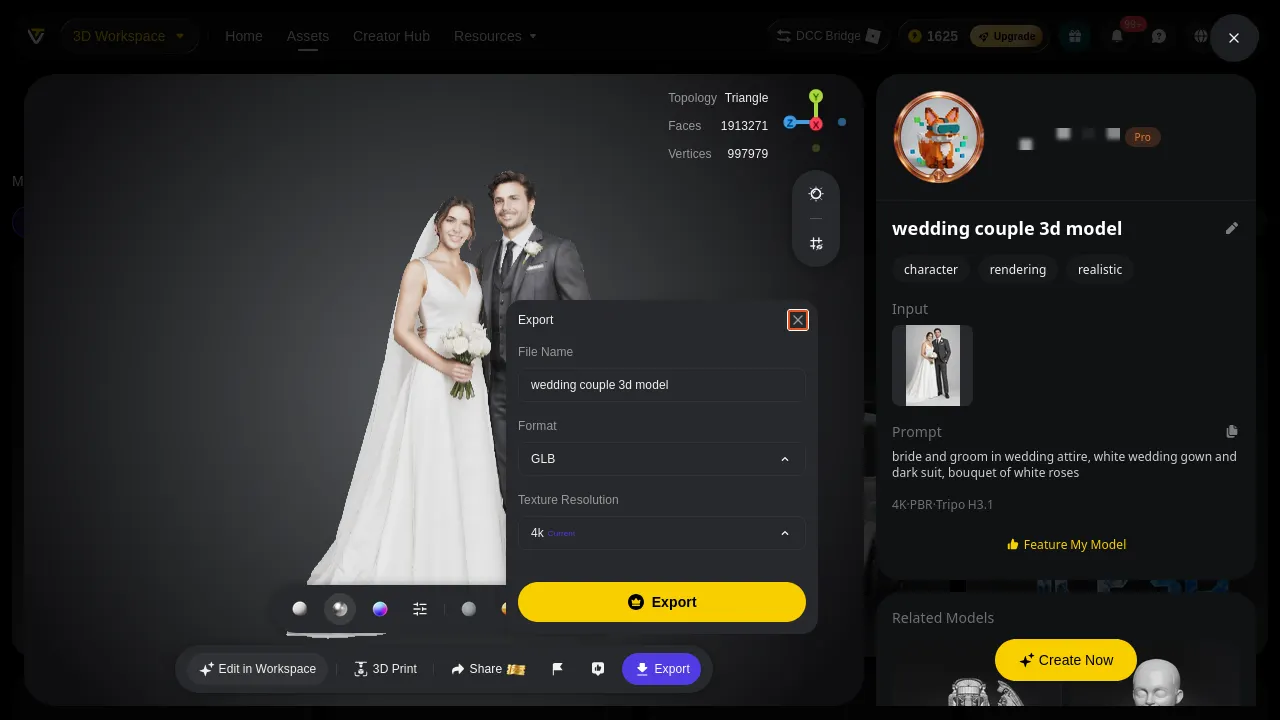
Tripo’s export list is genuinely longer: USD, FBX, OBJ, STL, GLB, 3MF against SupaVoxel’s GLB, OBJ, STL, USDZ, 3MF. If your pipeline ends at a contractor who only accepts FBX, that is a real reason to pick Tripo, and it is the only one in this article.
The print-shop ledger
Everything above, as the list of things you still have to do after the file lands:
- Sliceable as a solid — Tripo no (1 hole + inconsistent winding) · SupaVoxel yes
- Manual repair per copy — Tripo fill one boundary loop, recalculate normals · SupaVoxel none
- Support area — Tripo 4,348.2 mm² (13.35%) · SupaVoxel 3,786.8 mm² (9.44%)
- Mesh cleanup advisable — Tripo no · SupaVoxel yes, 19 degenerate faces and 1.05% slivers
- Resin at $35/L — Tripo $4.57 · SupaVoxel $4.31
- Clicks to STL — Tripo 4 · SupaVoxel 2
- Credits for the generation — Tripo 55 · SupaVoxel 3
Two of those rows go to Tripo. The two that decide whether you can print tonight do not.
Final verdict: Tripo scores 58, and loses on the only question that matters here
Tripo Studio produces a denser mesh with cleaner face statistics and a longer export list, and it charges 55 credits for it. Then it hands you a file with a hole in it and faces pointing the wrong way, and asks you to fix both before the slicer will accept it as a solid — every time, for every copy. The density it charges for lands 0.05 mm below what a 0.4 mm nozzle can print. The Clean Topology switch that would fix the topology argument is rationed to two trial uses. And the export flow ends in a dialog that warns you the STL has no texture.
SupaVoxel’s file is a single closed shell with consistent winding, 9.44% support area, two clicks from the viewer to an STL, and 3 credits. Its faults in this test are real and small: 19 zero-area faces and 1.05% slivers to clean, a footprint 12 mm wider, and an output that is unitless and must be scaled — though the product does show you mm/in/raw in the result panel so you find out before the slicer does.
Tripo’s bouquet separates into individual roses and SupaVoxel’s merges into one mass. On a 120 mm figurine the bouquet is about 12 mm across and a single rose about 3 mm; on FDM at 0.4 mm you will not see the difference, on resin you will see a little. The price of that little is 18.3× the credits, 1.76× the file, one hole patch and one normals flip.
Use SupaVoxel for this job
If the job is “one photo in, one printable STL out”, SupaVoxel is the one I would put in a print shop’s workflow: 3 credits, 246.4 seconds, a watertight single shell, five inspection modes before you export, and Export → STL in two clicks. The free tier gives you 30 tries a month to decide whether you agree with any of this, no card required.
Also in this Tripo wedding-figurine series
Same photo, same day, same measurement rules — split across three angles:
- Tripo AI Review 2026: 55 Credits for One Printable Wedding Figurine — what the credits, the $240/yr commercial licence and the trial-metered switches cost a shop across 100 pieces.
- Tripo AI Review 2026: It Painted the Groom’s Whole Forearm Black — the grimace, the black hand, the baked-in arm patches, and 7.11 MB of textures for the same 3 × 4096 maps.